
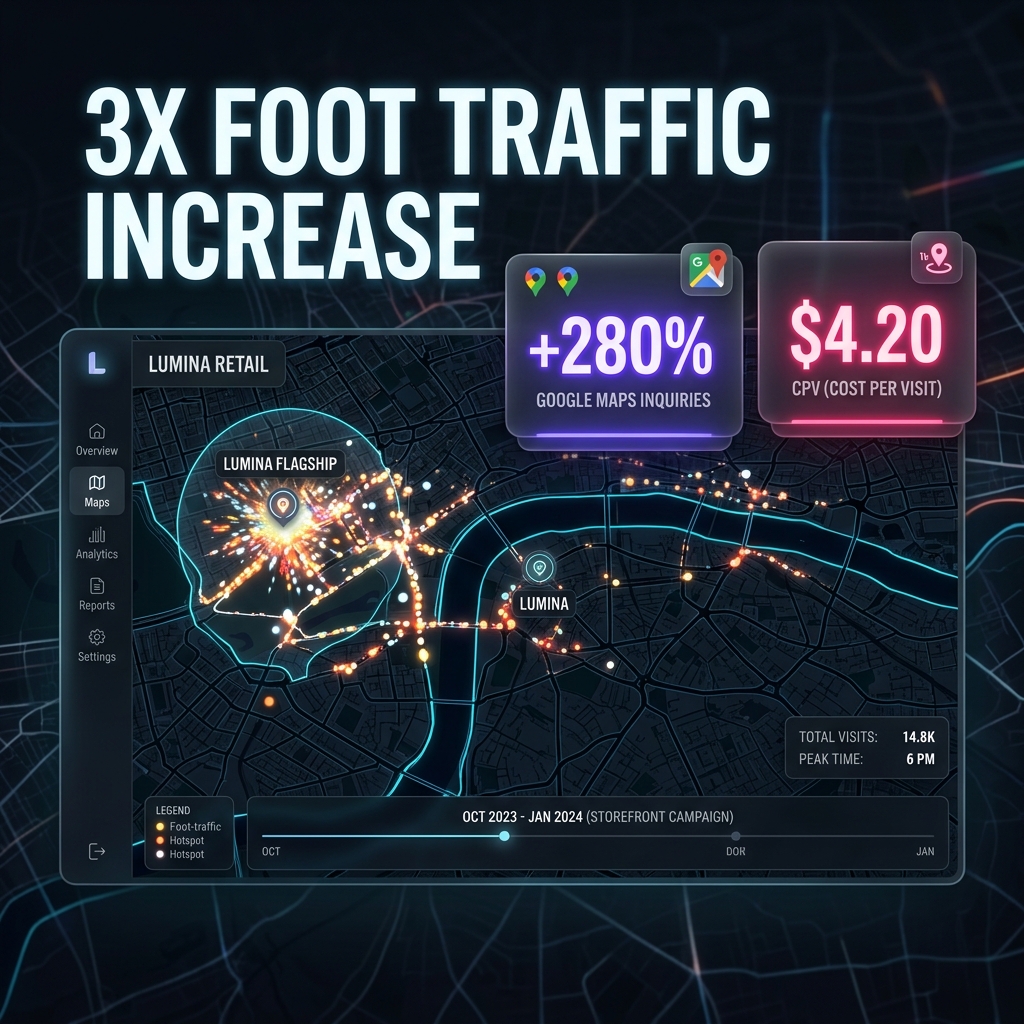
The "Retail Apocalypse" Is a Marketing Problem, Not a Demand Problem
Physical retail isn't dying — bad retail marketing is. The stores closing down are the ones that never adapted to the reality that 78% of local shoppers research online before visiting a physical store. They're not choosing between "online vs in-store" — they're using online to decide which store to visit. If your store isn't visible in that decision moment, you lose to the one that is.
The opportunity for physical retailers is massive: online-to-offline (O2O) shoppers spend 20-30% more in-store than walk-in traffic because they've already researched and committed before arriving. They know what they want, they know you have it, and they're ready to buy. Your job is to be the store they find when they search.
This playbook covers the O2O Retail Strategy — a system for driving foot traffic using digital channels that physical retailers typically ignore.
The O2O Retail Strategy
Layer 1: Google Business Profile & Maps Optimisation
For physical retailers, Google Business Profile is the single most important digital asset. When someone searches "furniture store near me" or "running shoes [suburb]", the Map Pack determines where they go. GBP isn't just a listing — it's your digital shopfront, and for most local searches, it gets more views than your website.
- Product categories: Add every product category you carry as a "service" — this helps Google match your listing to product-specific searches
- Google Posts: Post new arrivals, seasonal collections, sales events weekly. Include product images and "Visit us" CTA
- Photos: 30+ photos minimum — storefront, interior, product displays, fitting rooms, parking. Refresh quarterly with new stock
- Q&A: Pre-populate with common questions: "Do you offer layby?", "Is there parking?", "What brands do you carry?"
- Products tab: Upload your top 50-100 products with images, prices, and descriptions directly to your GBP product catalogue
Layer 2: Hyperlocal Meta Ads with Store Visit Objective
Meta Ads let you target people within walking or driving distance of your store with product-specific creative. The store traffic objective optimises delivery to people most likely to visit a physical location. Combined with geo-fencing, you can reach potential customers when they're physically near your store.
- Radius: 3-8km for urban stores, 10-15km for suburban/destination stores. Tighter radius = higher relevance
- Creative: Show products + your store. "Now in stock at [Store Name], [Suburb]." Include store hours and directions
- Retargeting: Show ads to people who visited your website but didn't buy online — "Visit us in-store to see it in person"
- Event promotion: In-store events (launches, workshops, VIP nights) promoted to local audiences. Event-based ads get 2-3x the engagement of standard product ads
- Budget: $10-25/day is sufficient for most single-location retailers. Increase around seasonal peaks
Layer 3: Click-and-Collect & Local Landing Pages
Click-and-collect bridges the gap between online and in-store. Customers who order online and pick up in-store make an additional purchase 40-60% of the time. Even if you don't have a full e-commerce store, local landing pages for your key product categories capture search traffic and drive in-store visits.
- Create pages for each product category: "/furniture/bedroom-furniture-auckland/", "/running-shoes/auckland-store/"
- Include: product range overview, brand names stocked, price ranges, store location with map, hours, and "Call to check stock" CTA
- Schema markup: LocalBusiness + Product + Store. This helps Google show your products in local search results
- Click-and-collect: Even a simple "Reserve in-store" form (name, phone, product interest) creates a committed visit
- Optimise for "[product] + [suburb/city]" keywords: "bedroom furniture Auckland", "trail running shoes North Shore"
Layer 4: Loyalty Program & Repeat Visit System
Acquiring a new customer costs 5-7x more than retaining one. The retailers that thrive long-term build systematic repeat-visit programs. This doesn't need to be a complex points system — even a simple VIP email list with early access to sales and new arrivals drives significant repeat traffic.
- SMS database: Collect phone numbers at checkout. Send 1-2 texts per month: new arrivals, flash sales, VIP early access. SMS open rates are 98% — nothing beats it for urgency
- Email newsletter: Weekly or fortnightly with new stock, styling ideas, and store events. Visual-heavy format works best for retail
- Birthday/anniversary: Automated message with a small incentive: "Happy birthday! Enjoy 15% off this week — show this text in-store"
- Win-back: If a loyalty member hasn't visited in 60 days, trigger a personalised offer
- Referral program: "Bring a friend, you both get $20 off" — turns existing customers into acquisition channels
5 Mistakes That Kill Retail Foot Traffic
No Google Business Profile or an incomplete one. A retail store without a complete GBP is invisible to local shoppers. 46% of all Google searches have local intent. If your profile has no photos, no products, and no reviews, you're losing to competitors who invested 30 minutes in setup.
Website with no location-specific content. An e-commerce site that doesn't mention your physical location, address, or local product availability on any page will never rank for "[product] + [city]" searches. Add location pages, embed Google Maps, and include your address in the footer at minimum.
Running online ads without store visit tracking. If you can't measure whether your digital ads actually drive in-store visits, you can't optimise. Use unique promo codes ("Mention ONLINE15 in-store"), tracked coupon redemptions, or Google's store visit conversions for chain retailers.
Ignoring the checkout experience as a marketing channel. The POS moment is your best opportunity to collect email, phone number, and sign up loyalty members. Train staff to ask: "Can I add you to our VIP list for early access to sales?" — not "Want to sign up for our newsletter?"
Only advertising during sales. Retailers who only run ads during clearance events train customers to wait for sales. Run always-on campaigns showcasing new arrivals and in-stock products at full price. Reserve discount-driven campaigns for genuine seasonal clearance only.
Playbook Overview
- Industry: Physical Retail
- Primary Channels: GBP, Meta Ads, Email/SMS
- Typical Timeline: 1-3 Months
- Best For: Single & Multi-Store Retail
Industry Benchmarks
| Metric | Typical Range |
|---|---|
| Cost Per Store Visit | $3-10 |
| Click-and-Collect Upsell | 40-60% make extra purchase |
| GBP Views to Direction | 3-8% |
| SMS Open Rate | 95-98% |
| Loyalty Member Spend | 2-3x non-member |
Related Services
Need Help Driving Foot Traffic to Your Store?
We help physical retailers build online-to-offline marketing systems that drive measurable in-store visits. Get a free audit of your store's digital presence.